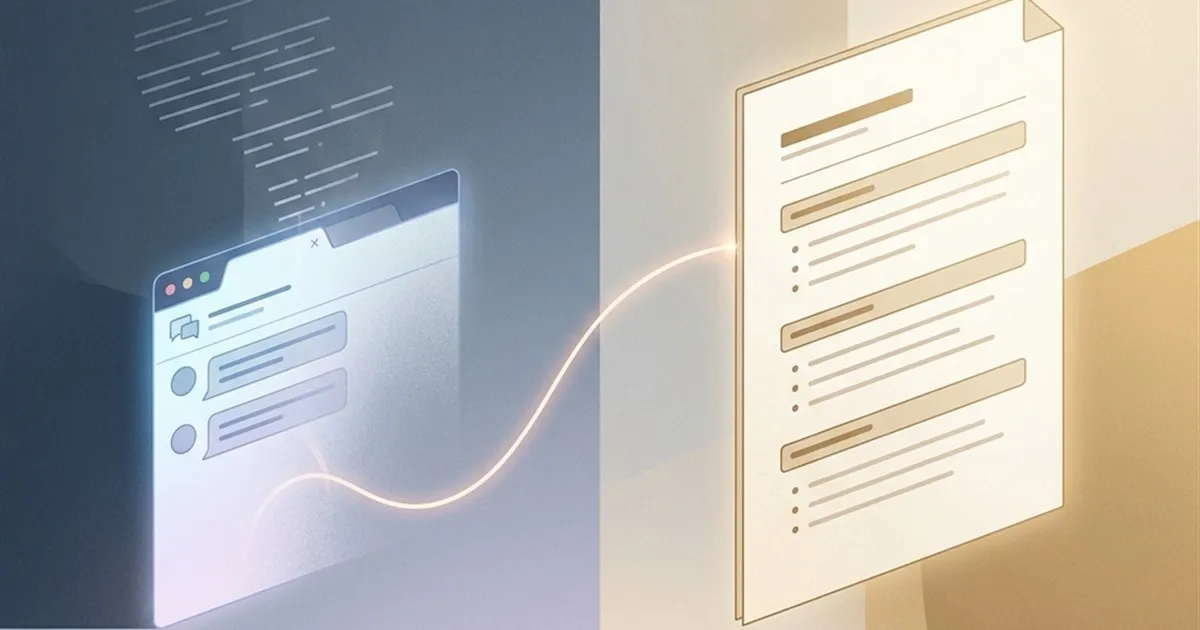
Before You Close That ChatGPT Tab, Run This One Command First
- Long AI conversations silently lose context as they grow. A handoff document, generated at session end, transfers everything that matters — decisions, progress, open questions — to your next chat without re-explaining anything.
Most people close a long ChatGPT conversation thinking the work is done. It isn’t. The moment that tab closes, the AI loses every shared assumption, every decision you made together, every implicit understanding it built about your project. The next session starts cold.
This isn’t a feature gap that OpenAI forgot to ship. It’s a fundamental property of how large language models work — and until persistent, per-user memory becomes both reliable and default across all platforms, it’s a gap you need to manage yourself.
There’s a simple habit that closes it. One command at the end of any substantive session, generating what I call a handoff document. It takes about 60 seconds and eliminates the most frustrating part of long-running AI-assisted work: the re-explanation tax.
Why Long Conversations Get Worse, Not Better
There’s a common assumption that a longer conversation means a better-informed AI. You’ve provided more context, more back-and-forth, more refinement. The model should know your project deeply by now.
The research tells a more complicated story. A study published in the Transactions of the Association for Computational Linguistics, “Lost in the Middle: How Language Models Use Long Contexts” (Liu et al., 2023), found that LLM performance follows a U-shaped curve relative to where information appears in a context window. Models reliably process information at the very beginning and very end of a conversation — everything buried in the long middle gets weighted inconsistently, sometimes nearly ignored.
In practical terms: that design decision you confirmed in message fifteen? Or the constraint you established in message thirty? If your conversation is now at message eighty, those earlier instructions are sitting in the attention-diluted middle, competing with everything else for the model’s limited focus.
The result is what practitioners call context rot. The model doesn’t suddenly forget your information, but its effective grasp of earlier decisions weakens, its responses drift slightly off the established frame, and small inconsistencies accumulate. You might not notice in the moment, but the outputs gradually lose the precision they had at the start of the session.
What Starting a New Chat Actually Costs You
The standard workaround is to start fresh. Open a new conversation, paste in whatever feels relevant, and rebuild from there.
The cost of this approach is rarely counted accurately. You spend time deciding what to re-explain. You write a summary from memory, which is selective and often incomplete. The AI starts from scratch on your style preferences, your terminology, your implicit project constraints. Every assumption that was embedded in the previous conversation gets either re-established or silently lost.
If you’re working on something that spans multiple sessions — a coding project, a research document, a business analysis, a long-form piece of writing — this re-explanation tax compounds. The overhead is often ten to twenty minutes of context-reconstruction work before each session becomes genuinely productive again.
The handoff document is a direct answer to this cost.
What the Handoff Document Actually Is
A handoff document is not a summary. A summary compresses what happened. A handoff document is a structured context injection protocol — it captures exactly what a new session needs to immediately pick up where the old one left off, without the AI needing to infer anything.
The document is generated by the AI itself, at the end of the session, from inside the conversation that’s about to close. The model has complete access to everything that was discussed; it’s the ideal author of this record. You don’t need to reconstruct it from memory.
The command is straightforward. Before you close a long chat, send this:
“This conversation is about to end. Please create a complete handoff document for me. Include: what we’ve completed so far, the current progress state, what needs to happen next, decisions and approaches we’ve confirmed, any unresolved questions or blockers, and anything that must not be lost when we continue in a new session.”
The AI produces a structured document. You copy it. In the next session, you paste it in as the opening message, followed by your next request. The new session starts informed rather than blank.
The Six-Part Structure That Actually Works
Through practice, a consistent structure for these documents has proven most reliable. If you want to guide the AI toward a specific format, you can prompt for these six sections explicitly:
1. What We’ve Completed — A list of finished items. Specific, not vague. “Completed the data ingestion module” rather than “made progress on the backend.”
2. Current Progress State — Where the work stands right now. What’s partially done, what’s in-flight, what the working state of any code, document, or analysis looks like.
3. Next Steps — A prioritized list of what needs to happen in the next session. This prevents the new chat from spending five messages establishing what to work on.
4. Confirmed Decisions — Every design choice, approach, or constraint that was explicitly agreed upon. These are the things you don’t want to re-debate. “We’re using Python, not TypeScript.” “The tone should be direct and non-promotional.” “We’re excluding the eastern region from this analysis.”
5. Unresolved Questions — The open blockers and outstanding decisions. What still needs to be figured out. This is often the most valuable section because it makes the gaps explicit rather than letting them silently disappear.
6. Must-Not-Lose Items — Anything the AI flags as high-risk to lose: custom definitions, non-standard requirements, edge cases that required unusual handling, anything that would be painful to rediscover.
Paste this document at the start of the next session, followed by something like: “Please read this before we continue.” The new conversation begins with full context, no reconstruction required.
Where This Habit Pays Off Most
The technique works across any sustained AI-assisted workflow, but the return on investment varies by context.
Long coding sessions benefit most immediately. When you’re building something across multiple conversations — a feature, a refactor, a debugging investigation — the handoff document carries the architectural decisions, the files already modified, the errors already encountered, and the approach that was working. Starting fresh without it means re-diagnosing problems the previous session already solved.
Writing and editing projects gain a different kind of continuity. The handoff carries the tone decisions, the structural choices, the sections already drafted, the arguments already established. Returning to a long document project without this context means spending the first twenty minutes re-reading rather than producing.
Research and analysis sessions accumulate a working model of the problem that’s genuinely hard to reconstruct. The handoff carries the questions being investigated, the sources already reviewed, the hypotheses currently in play, and the threads worth following.
Business and strategy work benefits because decisions have dependencies. If you decided on a positioning approach in session two, that shapes everything in sessions three through ten. A handoff document keeps those foundational decisions visible rather than buried.
The Less Obvious Benefit
There’s an argument that the handoff document benefits you more than it benefits the AI.
Writing the prompt — or even just reviewing what the AI produces — forces a moment of explicit reflection on project state. Most people working across long AI sessions carry a fuzzy mental model of where things stand. The handoff document makes that model concrete and correctable. You might discover that you thought a decision was made when it was actually still open. Or that what felt like significant progress is actually half a step toward a larger goal.
This is the same reason that good project handoffs between human colleagues have value beyond the information transfer itself. Articulating state clearly, in structured form, is a forcing function for understanding state clearly. The AI is just providing a convenient structure and removing the effort of writing it yourself.
If you’re working on something complex enough to require multiple sessions, it’s also worth thinking about where you store these documents. An AI prompt manager — like Prompt Vault, which keeps your prompts and context templates organized locally in your browser — is a practical place to maintain a running archive of session handoffs for ongoing projects. The goal is having the document accessible when the next session starts, without hunting through notes or relying on memory.
The broader pattern this fits into is what some engineers now call context engineering: the deliberate design of what an AI knows at the start of a task, rather than relying on the raw size of its context window. If you want to go deeper on why this approach has started to replace traditional prompt engineering in serious workflows, this breakdown of context engineering vs. prompt engineering covers the structural shift in detail.
Before You Close the Tab
The habit is simple enough to adopt immediately. The next time you’re working in a ChatGPT session that’s gone long, try it before closing.
Ask for the handoff document. Read it. Notice what it captured that you would have lost. Notice what it missed that you need to add. Paste it at the start of the next session and observe how much time you save on reconstruction.
It’s one command, sixty seconds, and the difference between a session that picks up where you left off and one that starts from scratch.
The context is worth keeping.
Practical AI, Delivered.
Join our community to receive premium prompt packs, tactical AI insights, and exclusive tools every week. 100% focused on making AI work for you.
It's 100% Free. No spam.
Discussion & Comments
Have questions or thoughts? Join the conversation below.